What is the best phone for Uber? Neither Uber nor Lyft names a brand or a model. What they publish is a floor: Uber’s help center says the Driver app needs an iPhone running iOS 17 or higher, or an Android device running Android 8.1 or higher.[1] So the best phone for Uber is a current one that clears that floor, keeps getting updates and holds a steady mobile connection.
This guide covers the phone only: operating-system minimums, the settings both apps depend on and the questions drivers ask about service and spare devices. The car, the accessories inside it and navigation apps are separate topics.
What are the phone requirements for an Uber driver?
Uber’s driver page says the Driver app is compatible with most modern Android and Apple smartphones.[2] The help article on downloading the app is more specific and gives the iOS 17 and Android 8.1 minimums above. Treat the numbers as a snapshot: Uber’s help center is the live source, and it can change when the app does. Uber’s own help articles are not fully consistent on the Android floor, since the troubleshooting article lists Android 8.0 or later, so plan around 8.1 and confirm in the app.
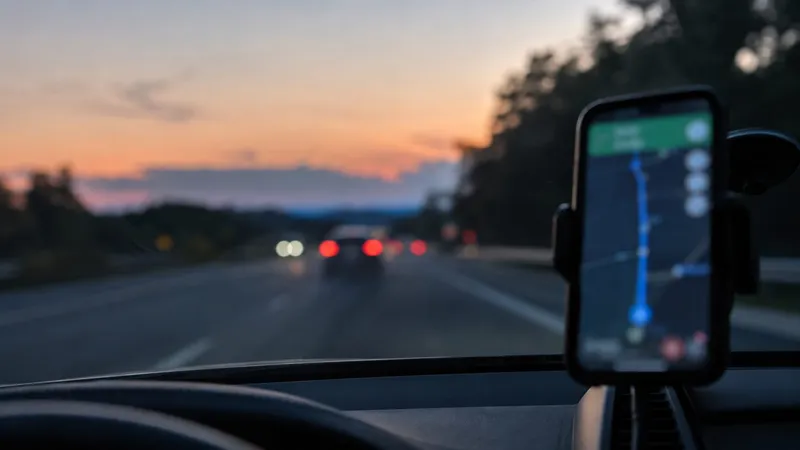
Uber’s driver page also shows what the phone does on a shift. You go online in the app to earn, accept a trip before the offer times out, and follow the app’s turn-by-turn directions to the pickup and then the dropoff. It adds that you can use the app on a car screen through Android Auto, Apple CarPlay or a Tesla, so you do not have to reach for the phone to accept trips and get directions.
How do Uber and Lyft phone minimums compare?
The two services publish different floors, and Lyft’s page adds location and data conditions. Lyft’s help page says the Lyft app requires at least iOS 17 or Android 9.0 Pie, that older operating systems may interfere with giving and receiving rides, and that you must enable GPS or Location Services and have a mobile data connection.[3]
| Item | Uber Driver app | Lyft app |
|---|---|---|
| iPhone | iOS 17 or higher | iOS 17 or higher |
| Android | Android 8.1 or higher | Android 9.0 (Pie) or higher |
| Location | Not stated on the pages cited | GPS or Location Services must be on |
| Mobile data | Not stated on the pages cited | App must receive data over the mobile network |
If you drive on both apps, the stricter Android floor, 9.0, is the safer one to plan around.
Compare car rental
500+ rental companies. Free cancellation on most bookings.
What should you check beyond the operating system?
Meeting the minimum is the entry ticket, not the whole decision. Three checks follow from the official pages.
Update room. Minimums can change with new app releases, which is why the numbers above are a snapshot. Lyft warns that older operating systems may interfere with giving and receiving rides. A phone that still receives system updates delays the day it falls below the floor.
Storage. Uber’s troubleshooting page tells you to make sure you have enough storage space on the device, to update the app from the Play Store or App Store and to restart the device when something misbehaves. It also suggests moving to a Wi-Fi network if updates fail over phone data.[4] A phone with little free space is a likely source of avoidable problems.
Screen and connection. The official pages say nothing about screen size or battery capacity, so those are your own judgment. The app is used all shift for offers, maps and messages, so a screen you can read at a glance and a phone that holds up through a long shift are reasonable priorities. For maps, see the best navigation app for Uber drivers.
Tip: Before buying, look up the exact model on the Uber and Lyft help pages’ current minimums, not on a seller’s listing. Then check the phone’s own update policy from its maker.
iPhone or Android for Uber?
Both are supported, so the choice is not set by Uber. The practical differences are small and come from the numbers above. Uber’s Android floor is lower than Lyft’s, and the iOS floor is the same for both. If you already own a recent phone of either kind, you probably meet the minimum, and the more useful question is how long it will keep receiving updates. The same logic applies to a phone bought mainly for delivery driving: each app publishes its own floor, so check the one you will use.
What is the best phone service for Uber drivers?
The pages cited here name no carrier and no data allowance. Lyft says the app must receive data through the mobile network and that it becomes unresponsive if mobile data is turned off. For drivers, that makes coverage in the places you drive more important than a plan name: a plan with mobile data that works along your usual routes and pickup areas is the real requirement.
Can you use Uber without a smartphone?
For drivers, the pages cited describe the Driver app on Android and iPhone and say you need to go online in it to earn. They describe no way to drive without a smartphone. For riders, Lyft’s help page says you can still request a ride from a mobile browser, but the cited Uber pages do not describe an equivalent, so this guide makes no claim for Uber riders.
Can you move the driver account to another phone?
The Uber pages cited here do not describe swapping devices. If your phone breaks or you upgrade, the new phone must meet the same minimum, and Uber’s in-app help is the place to confirm how to sign in on it. Carry out the change before a shift, not during one. For the rest of a driver’s kit, see what to look for and keep in an Uber car.